> ## Documentation Index
> Fetch the complete documentation index at: https://support.entegrata.com/llms.txt
> Use this file to discover all available pages before exploring further.
# Schema Changes
> Handling breaking and non-breaking schema changes
## Overview
Discovery detects schema changes and categorizes them as breaking or non-breaking, helping you respond appropriately.
## Schema Change Detection
Discovery detects two types of schema changes:
### Non-Breaking Changes
Changes that don't affect existing collection:
* **New fields added** - Automatically included in future collections
* **Field metadata updates** - Descriptions, annotations, etc.
* **New indexes or constraints** - Improve query performance
Non-breaking changes are applied automatically. No action required.
### Breaking Changes
Changes that may disrupt collection or downstream analytics:
* **Fields removed** - Data previously collected is no longer available
* **Field data type changed** - May cause collection or transformation errors
* **Primary key changed** - Affects uniqueness and deduplication
Breaking changes require review and may need manual intervention to resolve.
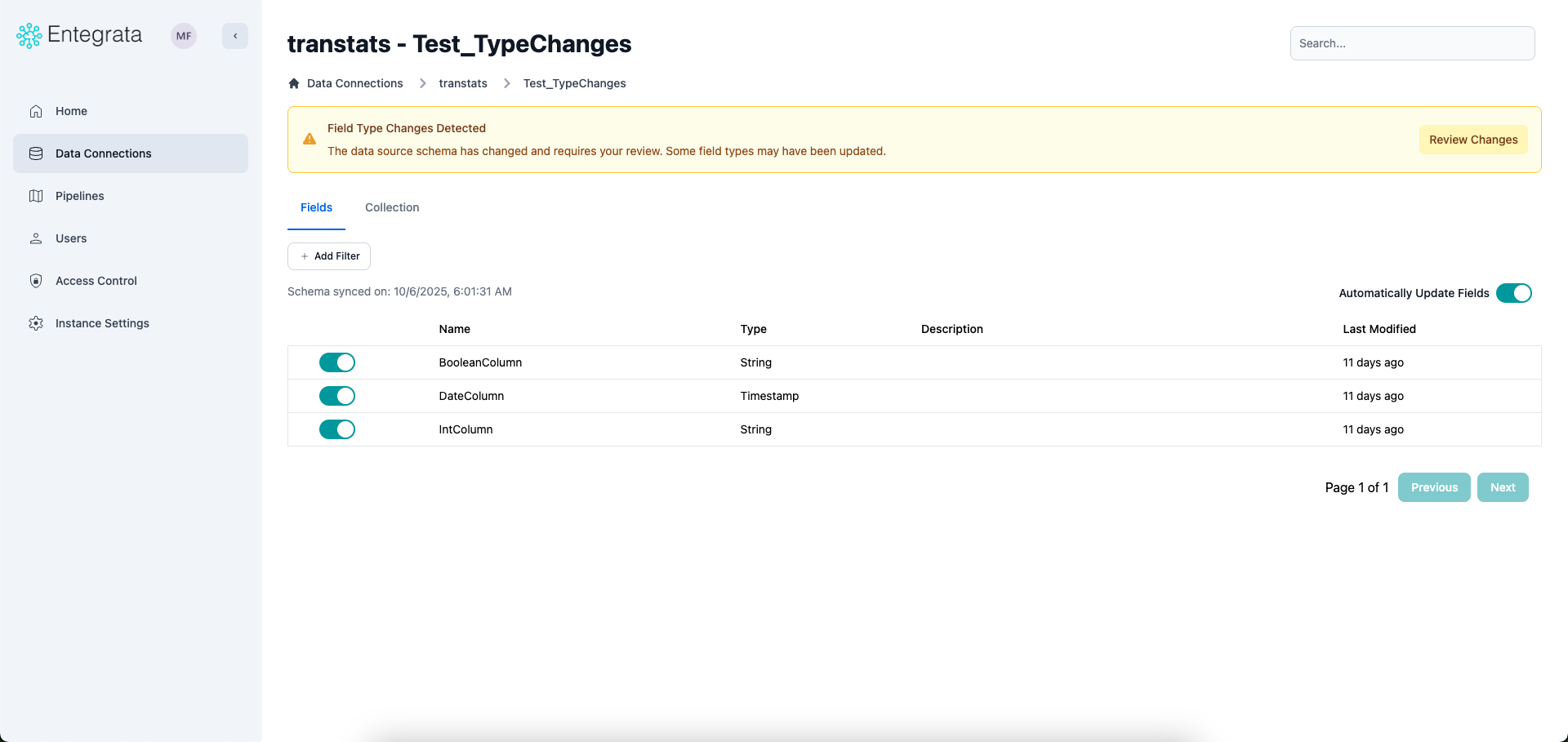 ### Responding to Breaking Changes
When discovery detects breaking changes:
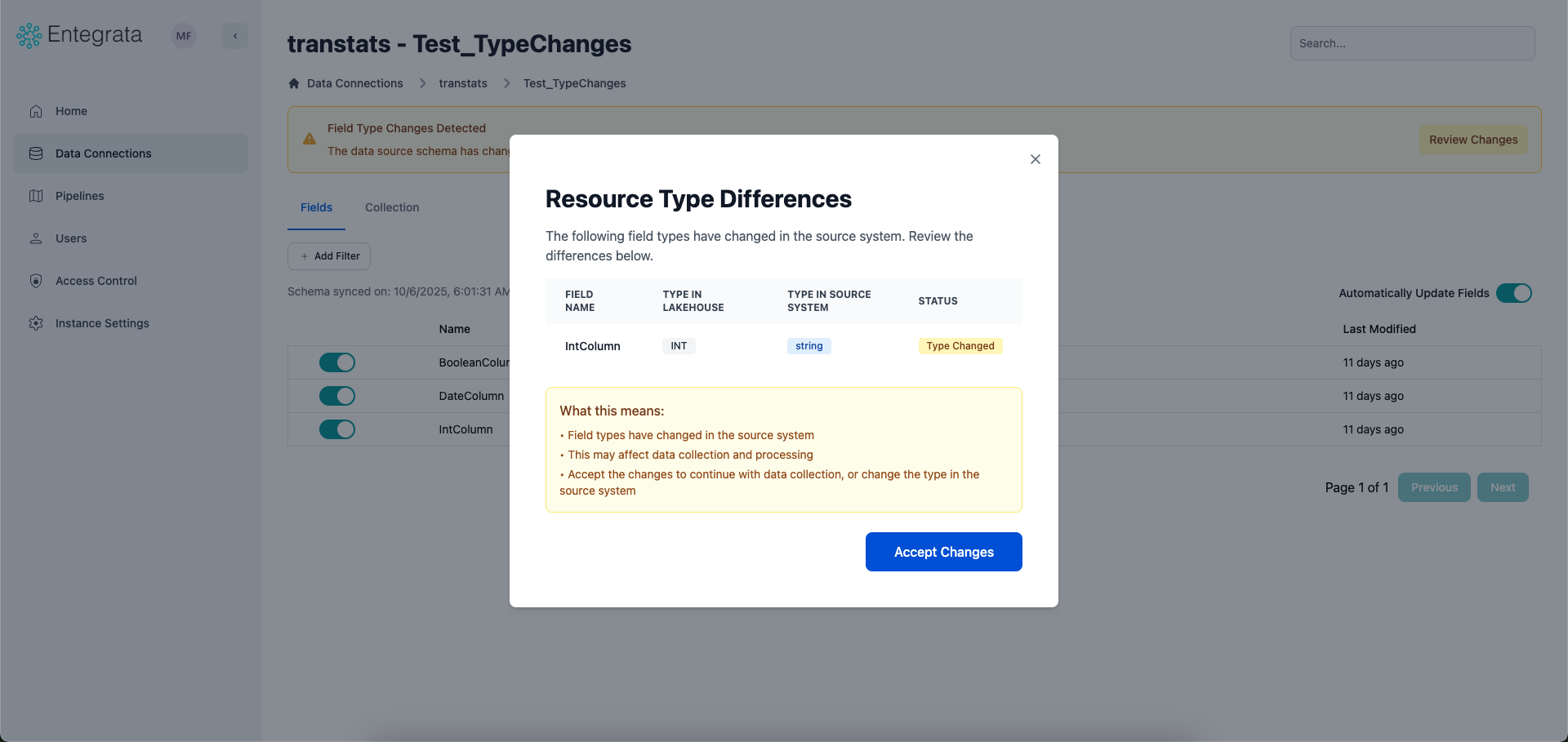
Click the notification to see exactly what changed:
* Which fields were removed or modified
* Old vs. new data types
* Impact on existing collection configuration
### Responding to Breaking Changes
When discovery detects breaking changes:
Click the notification to see exactly what changed:
* Which fields were removed or modified
* Old vs. new data types
* Impact on existing collection configuration
 Determine how the change affects:
* **Collection**: Will filters or incremental fields still work?
* **Unique keys**: Are primary keys still valid?
* **Downstream analytics**: Will reports or dashboards break?
Adjust resource settings to accommodate the change:
* Update filters if filtered fields changed
* Change incremental load field if it was removed
* Update unique keys if they changed
* Notify downstream consumers of schema changes
Trigger a manual collection to verify the updated configuration works
Watch the first few scheduled collections to ensure stability
Understand how discovery works
Manually trigger discovery immediately when you need to
Determine how the change affects:
* **Collection**: Will filters or incremental fields still work?
* **Unique keys**: Are primary keys still valid?
* **Downstream analytics**: Will reports or dashboards break?
Adjust resource settings to accommodate the change:
* Update filters if filtered fields changed
* Change incremental load field if it was removed
* Update unique keys if they changed
* Notify downstream consumers of schema changes
Trigger a manual collection to verify the updated configuration works
Watch the first few scheduled collections to ensure stability
Understand how discovery works
Manually trigger discovery immediately when you need to